

Introducing Vault Linker
If you use Obsidian as a knowledge base, you have probably felt the gap between having hundreds of notes and connecting them. Manually turning every mention of a note title into a wikilink does not scale. That is what Vault Linker is for: it scans your vault, matches note titles (and YAML aliases) in prose, and inserts [[wikilinks]] where it is safe to do so—skipping front matter, code blocks, existing links, and embeds.
This project started as Obsidian Linker. Same idea, sharper name, and a much more capable toolset. The GitHub repo is now vault-linker, the PyPI package is vaultlinker, and the Obsidian community plugin id is vault-linker. The old obsidian-linker console entry still works as an alias for the CLI, so existing scripts keep running.
If you read my earlier write-up, Obsidian Notes Linker - Open Source Tool Released, this post is the successor: rebrand plus CLI depth, audit/unlink, parallelism, and a first-class plugin.
Why rebrand?
“Obsidian Linker” described the use case but not the product. Vault Linker matches how people talk about their notes (a vault), works as a standalone CLI outside Obsidian, and lines up with the plugin listing. One name for the repo, package, and plugin makes discovery and support simpler.
What it does to your graph
On a large garden-style vault, the difference is dramatic: isolated dots turn into a navigable graph.
Before linking
 Graph view before linking: most notes had no wikilinks.
After linking
 Same vault after a link pass: titles and aliases wired together automatically.
Tip: Run with
--dry-runfirst, and use--backupwhen you are ready to write in place. Vault Linker changes file contents; treat it like any bulk editor.
CLI: built for real vaults
The command is vaultlinker (from pip install vaultlinker). Point it at a vault directory and go.
vaultlinker /path/to/vault/
vaultlinker /path/to/vault/ --dry-run -v
vaultlinker /path/to/vault/ --jobs 8
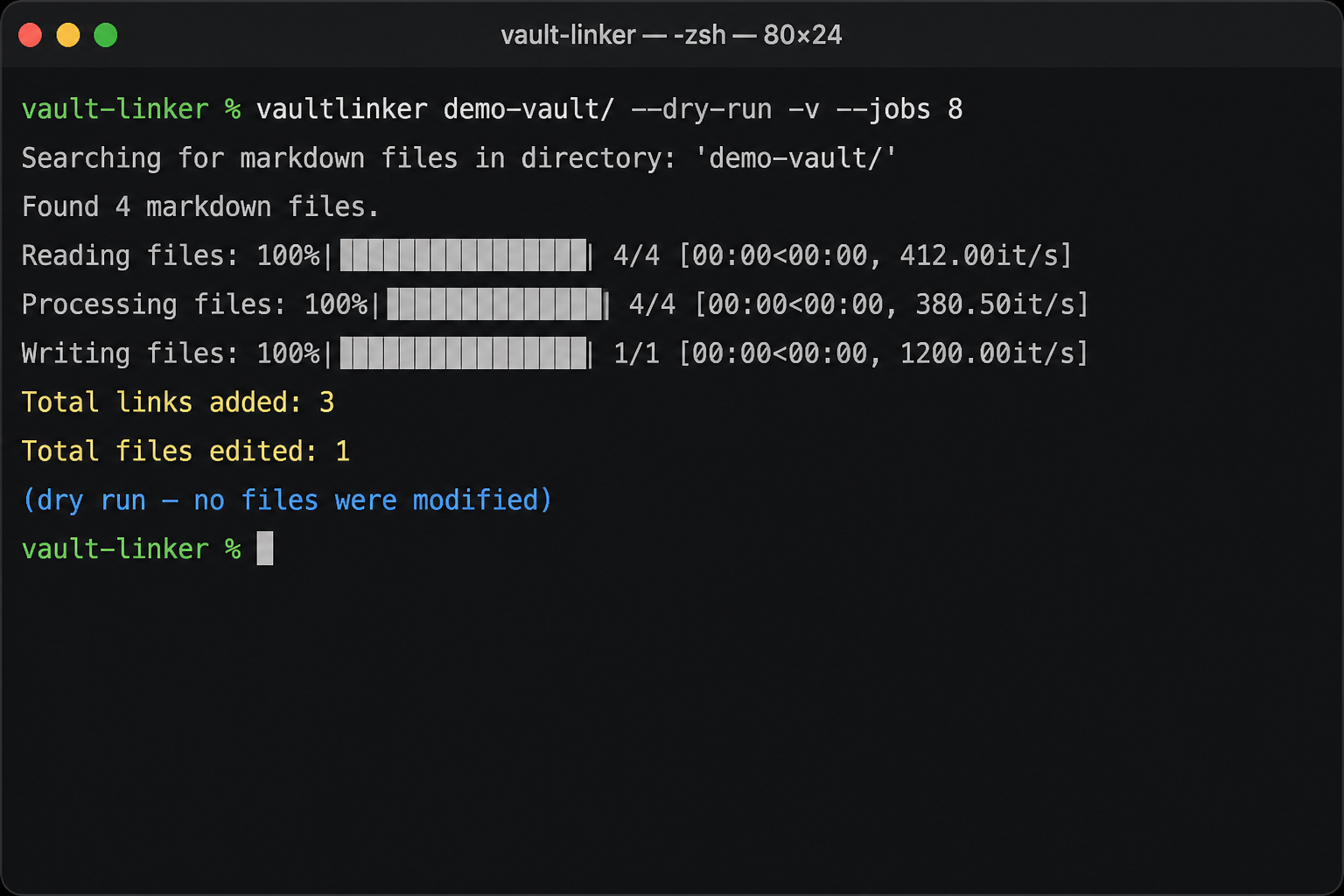 Dry run with
 -v and --jobs 8: see what would change before touching files.
Highlights that matter day to day:
--jobs— Parallel read/process/write. Default is single-threaded; use--jobs 0to pick a sensible CPU-based worker count (capped at 32).--dry-run— Lists proposed links (file:line: text -> [[wikilink]]) without modifying the vault. Also applies to--unlink.--backup— Writes<file>.bakbefore overwriting when linking or unlinking in the vault.--output DIR— Mirror linked files into another directory; leave the live vault untouched (great for CI or previews).- Globs —
--include-globand--exclude-globlimit which paths are processed (for examplenotes/**only). --incremental— Re-process notes changed since the last run; state lives under.obsidian/vault-linker-state.jsonby default (override with--state-file).--audit— Report pending links, broken wikilinks, and notes with zero backlinks—without changing files.--unlink— Remove wikilinks that match Vault Linker’s title/alias rules (with optional dry run and backup).- Aliases and headings — YAML
alias/aliasesare link phrases by default; optional--use-headings,--no-aliases,--no-self-links, and--link-headingstune behavior. - Ignore lists —
--ignore-phraseand--ignore-fileskip phrases you never want linked. - Directory excludes —
--excludeand--no-default-excludescontrol skipping.obsidian,.git, and similar folders.
Audit mode is especially useful when you have already linked once and want to know what is still missing or broken:
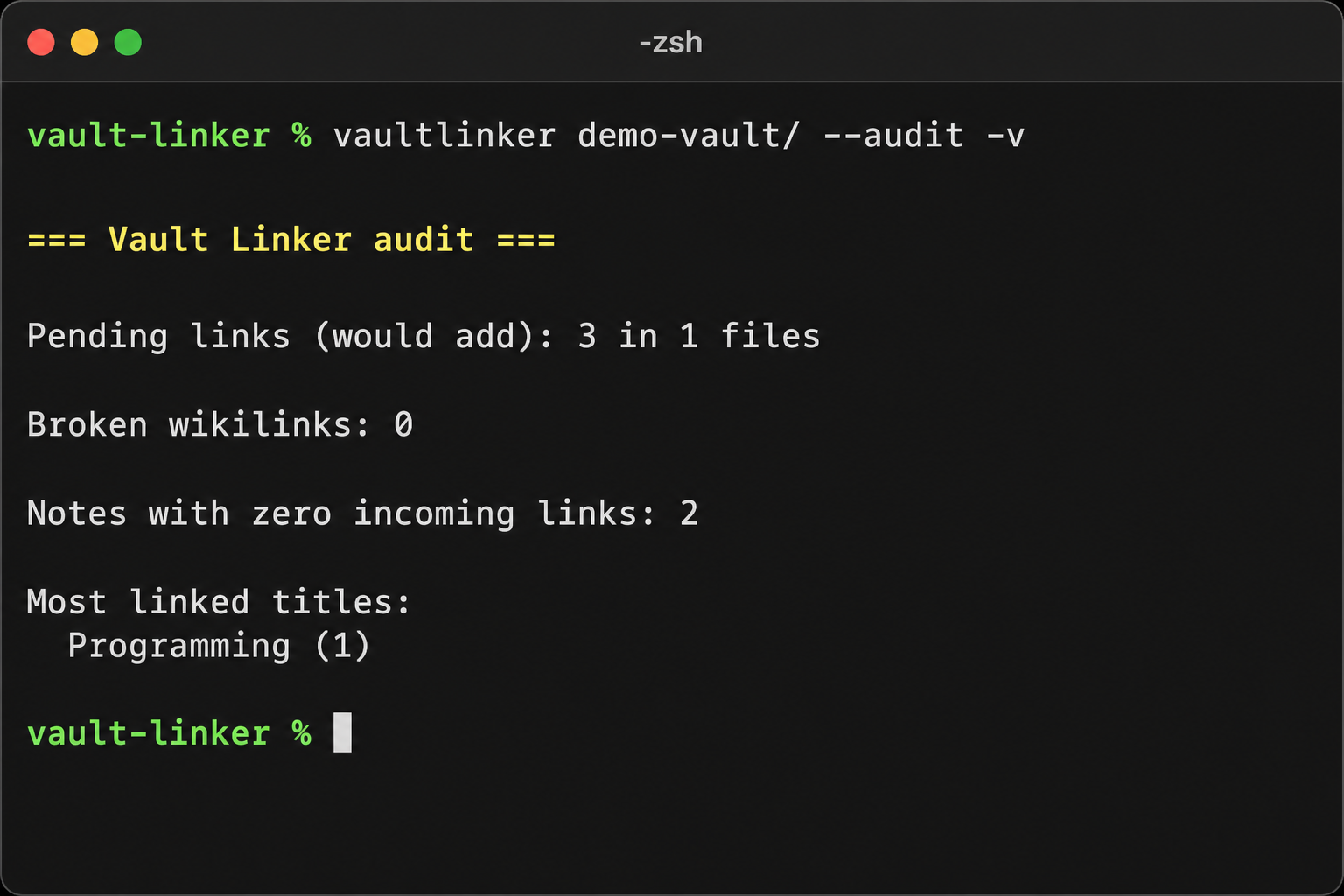 CLI audit: pending links, broken wikilinks, and backlink stats at a glance.
Full flag reference lives in the README on GitHub.
Obsidian community plugin
You do not have to leave Obsidian to run a pass. Vault Linker is on the community plugin store (search for “Vault Linker” or id vault-linker). From the plugin you can link, audit, and unlink with the same safety rules as the CLI—handy for vaults you only open on one machine.
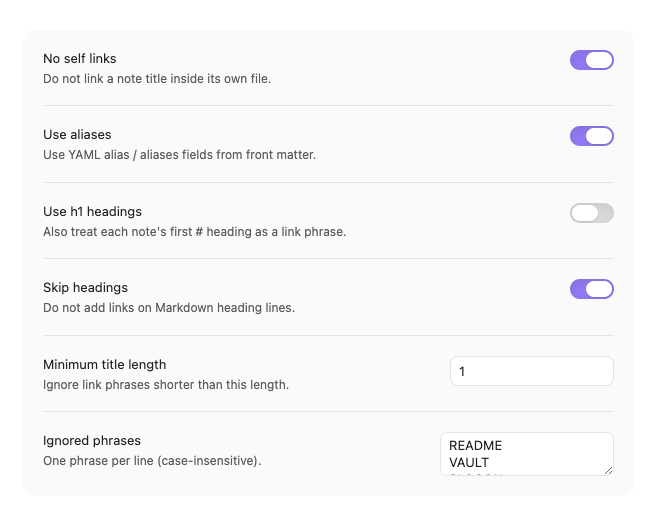 Plugin settings: run link, audit, or unlink from the command palette or ribbon.
Install from Obsidian: Settings → Community plugins → Browse → Vault Linker → Install → Enable.
Installation (quick)
PyPI (recommended):
pip install vaultlinker
vaultlinker /path/to/your/vault/ --dry-run
From source:
git clone https://github.com/arshad115/vault-linker.git
cd vault-linker
pip install -e ".[dev]"
Requires Python 3.10+.
Closing thoughts
Vault Linker is the tool I wished I had when my graph was mostly disconnected notes. The rebrand to Vault Linker reflects how much it has grown: parallel CLI runs, incremental state, audit and unlink, globs, and a community plugin that stays in sync with the same linking rules.
Try a dry run on a copy of your vault, skim the audit output, then commit to a full link pass when you like what you see. Issues and PRs are welcome on GitHub.
Related posts
Links




Leave a comment